Custom Software Development

Mobile application development for field teams and customers

Give field teams and customers a practical way to work from their phones. We build native and cross-platform apps with the capture, offline and device features the task requires, connected to the systems behind it.

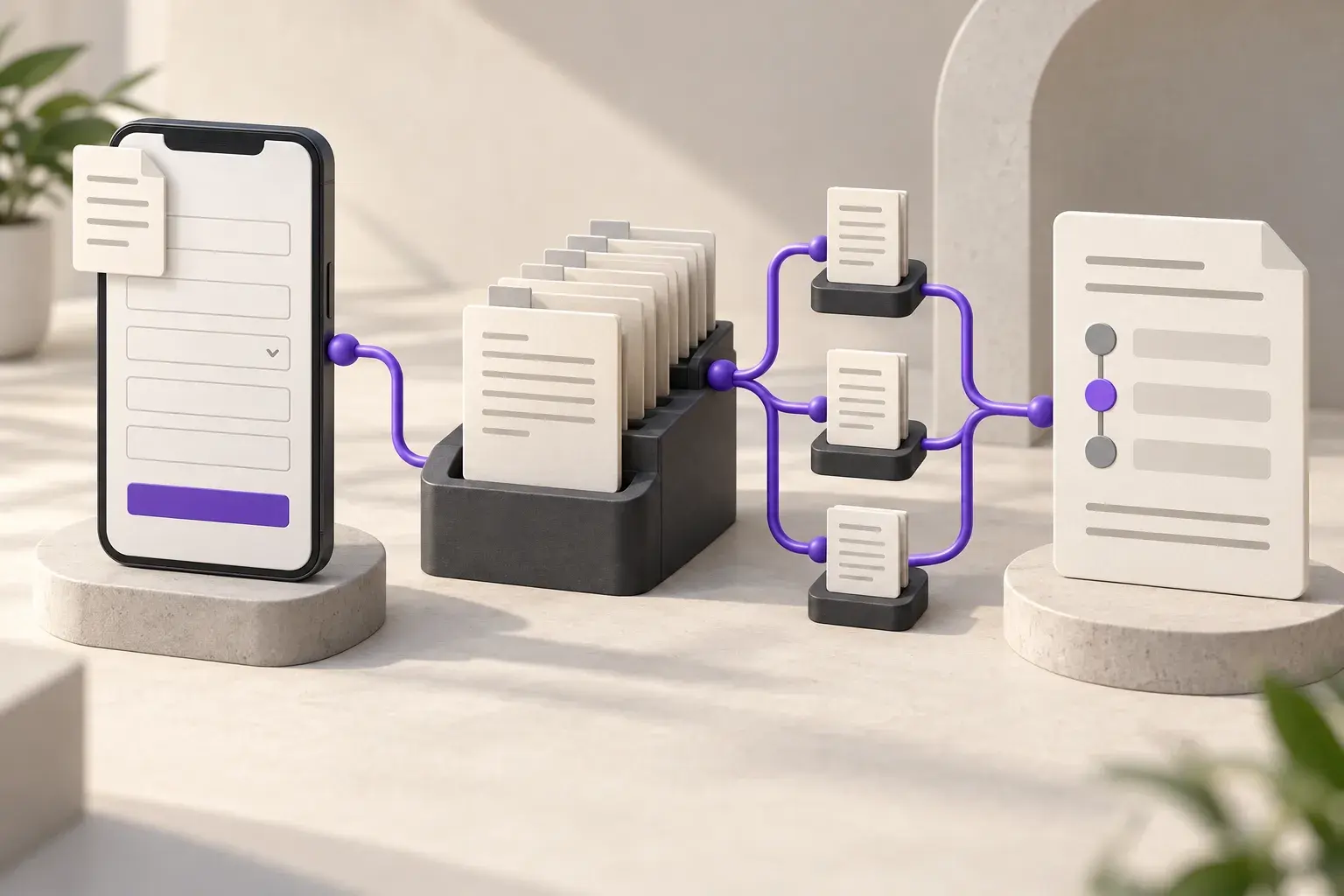
Conceptual illustration connecting a borrower submission, staff review and application status
Loan workflow illustration
  • Built for a finance-sector organisation serving public borrowers
  • Native iOS and Android, working offline in the field

The starting point

When field work reaches the office too late

Our field team fills in a paper form and someone retypes it back at the office.

Every retype is a chance for a number to change. The app captures the same information once, on the phone already in the field worker's pocket, and sends it straight to the record that matters.

The app is useless the moment there is no signal.

A mobile app built only for a strong connection stops working exactly where field work happens. Ours captures data offline and syncs the moment a signal returns, without the user doing anything differently.

We do not know where our field staff are or what they have done today.

GPS tagging and time-stamped check-ins turn a field visit into a record rather than a claim, so the office sees completed work as it happens instead of asking for an end-of-day summary.

What the work includes

Capture and update records at the point of work

We start with the task on the device and in the setting where it will be used. Camera capture, scanning, location and offline behaviour are scoped from that requirement. Native and cross-platform options are assessed against the supported devices, integrations and maintenance needs.

Explore the delivery process
Works without signal

Data entered in the field is stored on the device and syncs automatically once a connection is available, so a dead zone does not mean lost work.

Camera and document capture

Photos, signatures and scanned documents attach directly to the record they belong to, timestamped and geo-tagged at the point of capture.

Barcode and QR scanning

Built-in scanning replaces manual entry for stock counts, deliveries and asset checks, cutting the keying errors that manual entry produces.

GPS and location tagging

Check-ins, visits and deliveries are tagged with location and time automatically, giving the office a verified record instead of a self-reported one.

Native or cross-platform implementation

Choose the approach around device access, supported platforms and maintenance. Check camera, location and background behaviour on the devices the team will use.

Test the workflow where the app will be used

A field visit may involve signing in, opening a record, capturing a photo and sending an update. Review that sequence on the devices users carry, with poor connectivity and an interrupted upload. Permissions, offline storage and recovery need to work together.

Our engineers use AI assistance to expedite development and test the app on the devices and under the field conditions it must support. Cross-platform development can share business logic across devices, with checks for each platform's behaviour.


Keep field and office records connected

Decide which updates can wait for a connection and which require confirmation from the server. Make the sync status visible so a user knows whether a record has reached the office.

Digitalizing the End-to-End Loan Lifecycle paired a hybrid borrower app with an administrative CRM. Applications, status tracking and risk information were connected across the two interfaces.

From discovery to support

From the field task to a tested mobile app

Discuss your requirements
  1. 01Discovery

    We walk your current workflow with the people who run it and record where work stalls, duplicates or waits.

  2. 02Scope and quote

    A fixed price and a dated plan, issued after discovery. Payment runs against milestones.

  3. 03Design

    Review the proposed workflow, interfaces and data requirements before implementation. The design work follows the scope of the project.

  4. 04Build and review

    Implement the agreed scope in short cycles, review the changes and test the behaviour with representative records and exceptions.

  5. 05Integrate and release

    Test the required connections, confirm acceptance with your team and release according to the agreed rollout plan.

  6. 06Support

    The team that built it handles updates, integrations and support calls after go-live.

Technologies we work with

Tools selected around the requirements of your project.

  • React
  • Angular
  • Vue
  • Node.js
  • Python
  • .NET
  • Java
  • Kotlin
  • Swift
  • React Native
  • Flutter
  • Microsoft Azure
  • AWS
  • Google Cloud
  • Terraform
  • Docker
  • Kubernetes
  • Power BI
  • Tableau
  • Predictive analytics

Animation is paused to match your motion preference.

Conceptual illustration connecting a borrower submission, staff review and application status
Loan workflow illustration

Client project

Digitalizing the End-to-End Loan Lifecycle

Sector
Finance
Client
A finance-sector organisation serving public borrowers
Engagement type
Mobile app and CRM development
What we built
A borrower-facing loan application with an admin CRM for tracking, risk scoring and reporting
Read the case study

How we can work together

Projects here typically run between USD 7,500 and USD 15,000 or above, depending on scope. We quote a fixed price after discovery and bill against milestones.

Fixed price

Fits when: Scope is clear and agreed after discovery

Billing: Milestone payments against a dated plan

Dedicated team

Fits when: Scope will evolve, and you want capacity reserved

Billing: Monthly, per named engineer

Support retainer

Fits when: The system is live and needs changes and cover

Billing: Monthly, with an agreed response window

Questions about Mobile App Development

Do you build native apps or hybrid apps?

We build both. The choice depends on hardware features, supported platforms and maintenance needs. The loan lifecycle project used a hybrid mobile app connected to an administrative CRM.

How much offline storage does the app need on the phone?

The app stores the records, attachments and queued updates required for offline work. We size that against expected field use and device capacity, then define retention and sync behaviour.

Can the app work for staff who share one device instead of having their own phone?

Yes. We build a shift-based login so one device serves several staff members across a day, with each person's captures and check-ins attributed correctly rather than pooled under a single account.

Can the app read barcodes and QR codes without a separate scanner?

A phone camera can support barcode and QR scanning where the code format, lighting and working conditions suit it. Dedicated scanners may be preferable for some warehouse tasks. We assess the capture method against the devices and volumes involved.

What happens if a field worker loses their phone with the app on it?

Synced records remain in the central system. Device access, local storage and any remote management capability should be defined during scoping. The available controls depend on the application, operating system and whether your organisation manages the device.

Plan the task your mobile app needs to support

Tell us who will use the app, which devices they carry and where connectivity breaks down. We can scope the workflow and testing around those conditions.