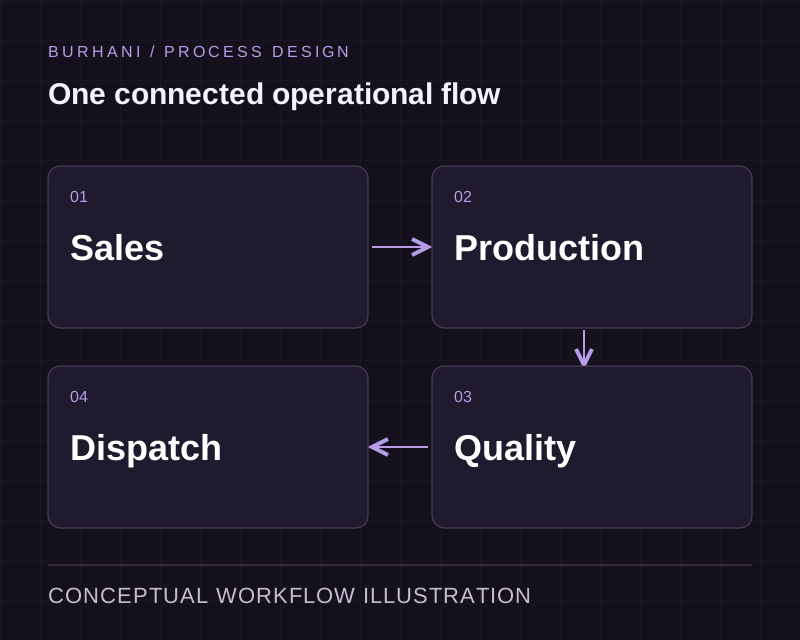
ERP Implementation

Line-of-business application development for departmental workflows

Give one department a shared application for its requests, records and decisions. We build the workflow, permissions and reporting it needs, with connections to finance, ERP or other systems as the scope grows.

Conceptual process illustration for Line of Business Applications
  • Role-based access from the design phase
  • Audit trail on every record
  • Built for one team, properly

The starting point

When a department depends on one spreadsheet

Our whole department runs on one spreadsheet and one person who understands it.

It works until that person is on leave, and there is no record of who changed what or why.

Everyone can see everything, including things they should not.

A shared file has no concept of a role. Access ends up managed by asking people not to look.

What the work includes

A shared workspace for requests, decisions and records

We map a complete departmental task and agree the records, roles and decisions involved. The first release provides a shared workflow that the team can review. Migration and connections are planned so the application can become part of the wider operation.

Explore the delivery process
The department's actual workflow

Statuses, handoffs and exceptions as that team runs them, including the informal steps that never made it into any process document.

Role-based access control

What each role can see, edit and approve, defined during design rather than bolted on after somebody sees a record they should not have.

Approval chains

Multi-step approvals with delegation and escalation, so work does not stop because one person is away.

Audit trail

Who changed what, when, and what the value was before. This is usually the reason the spreadsheet has to go.

Reporting for the team and the manager

The handful of numbers this department is measured on, generated from live records.

Complete one departmental workflow

Take a request from entry to decision. Define who creates it, what information is required, who approves it and how the team handles a returned request. Include the view a manager needs to see work waiting for attention.

This gives rapid application development a contained starting point. Your team can review a whole task before more departments or integrations enter the scope. Incoming document capture can be assessed separately from approval rules and permissions.

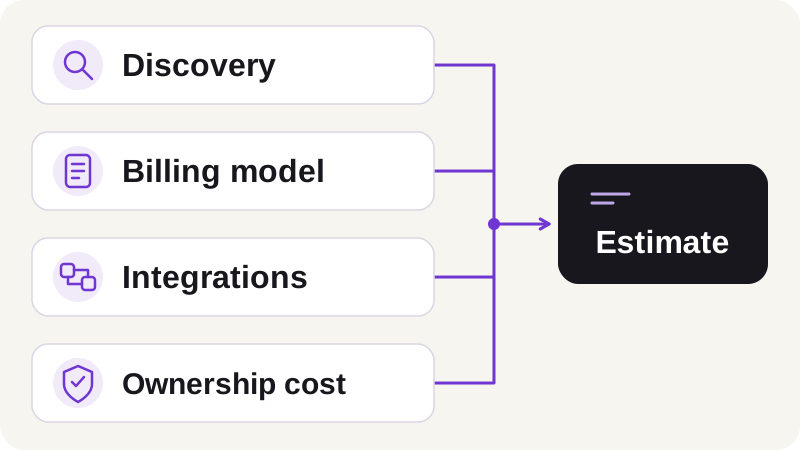
Plan the changeover from the current records

Review which spreadsheet history needs migration, which records need correction and how the team will compare results during a parallel run. Agree when the old record becomes read-only.

Workflow automation can route work between people. When several departments need a common operational record, the application can become part of a wider ERP implementation.

From discovery to support

From departmental workflow to adoption

Discuss your requirements
  1. 01Discovery

    We walk your current workflow with the people who run it and record where work stalls, duplicates or waits.

  2. 02Scope and quote

    A fixed price and a dated plan, issued after discovery. Payment runs against milestones.

  3. 03Design

    Review the proposed workflow, interfaces and data requirements before implementation. The design work follows the scope of the project.

  4. 04Build and review

    Implement the agreed scope in short cycles, review the changes and test the behaviour with representative records and exceptions.

  5. 05Integrate and release

    Test the required connections, confirm acceptance with your team and release according to the agreed rollout plan.

  6. 06Support

    The team that built it handles updates, integrations and support calls after go-live.

How we can work together

Projects here typically run between USD 7,500 and USD 15,000 or above, depending on scope. We quote a fixed price after discovery and bill against milestones.

Fixed price

Fits when: Scope is clear and agreed after discovery

Billing: Milestone payments against a dated plan

Dedicated team

Fits when: Scope will evolve, and you want capacity reserved

Billing: Monthly, per named engineer

Support retainer

Fits when: The system is live and needs changes and cover

Billing: Monthly, with an agreed response window

Questions about Line of Business Applications

How is this different from an ERP?

Scope. An ERP spans departments and makes them share one version of the truth. A line of business application serves one department deeply. Many clients start here and connect to an ERP later, which is a much easier sequence than the reverse.

Can a line of business application connect to our other systems later?

Yes, and it should be designed expecting to. We define the data boundaries during design so a later connection to finance or an ERP is a piece of integration work rather than a rewrite.

How granular can permissions get?

Down to field level where the workflow needs it, so a role can see a record without seeing the pricing on it. Granularity has a cost in complexity, so we set it from real requirements rather than making everything configurable.

Can we run it alongside the spreadsheet during changeover?

A short parallel run can help the team compare results before switching over. Agree which system owns the record, how differences will be reconciled and when the spreadsheet becomes read-only so updates do not diverge.

What happens to the historical data in the spreadsheet?

It gets migrated where it is clean enough to be trusted, and archived read-only where it is not. Deciding which is which is a conversation with the team rather than a technical judgement we make alone.

Define the first workflow for your department

Bring a request, the rules it follows and the records your team keeps. We can map the application and its connections before extending the scope.